
Users and authentication
Aurral uses Better Auth for local credentials, browser sessions, bearer tokens, and OIDC. Aurral keeps the adapters that belong to its own protocols and deployment model.
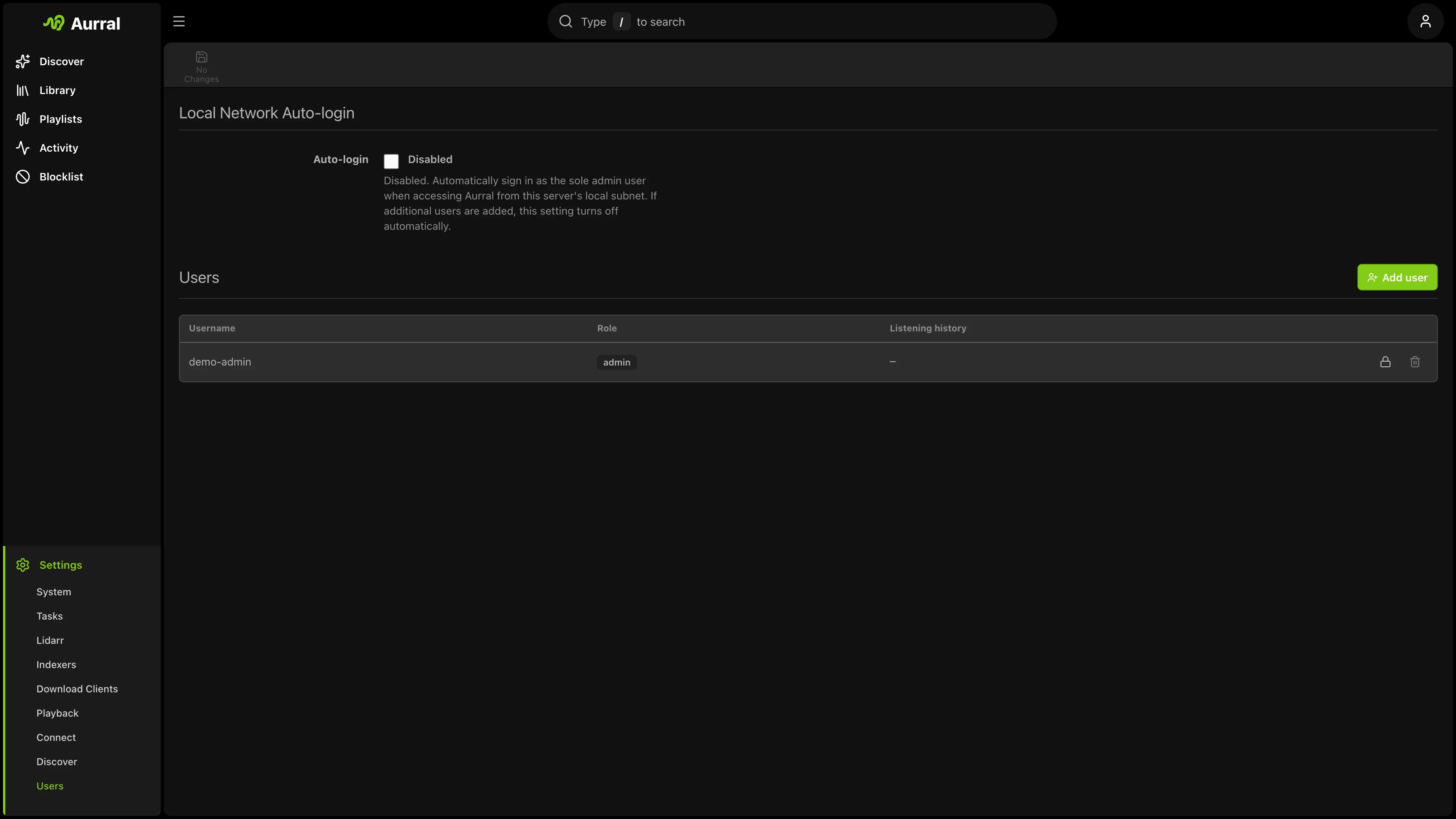
Local accounts
Section titled “Local accounts”Each local account has a username and password. Use the username to sign in.
Better Auth requires an email-shaped identity internally. When no email is supplied, Aurral generates a private @aurral.invalid value for that internal record. It is not contact information and is not shown in the account management UI.
Admins create accounts from Settings > Users. The first account is created during onboarding.
Passwords must contain at least eight characters. Better Auth stores the credential and owns password verification. Aurral stores application permissions and per-user settings alongside the Better Auth user record.
Permissions
Section titled “Permissions”Admins can control whether users can:
- Access playlists and flows
- Add artists or albums
- Change monitoring
- Delete artists or albums
The account role is admin or user. Aurral applies its permission checks to each API request after the authentication adapter resolves the Better Auth user.
Sessions
Section titled “Sessions”Better Auth creates, reads, expires, and revokes sessions. The browser receives a bearer token in the set-auth-token response header after a successful sign-in and sends it as an Authorization: Bearer header.
The public session endpoints are:
| Method | Path | Purpose |
|---|---|---|
POST |
/api/auth/sign-in/email |
Better Auth email-identity sign-in for integrations |
POST |
/api/auth/sign-in/username |
Sign in with a username and password |
GET |
/api/auth/get-session |
Read the current user and session |
POST |
/api/auth/sign-out |
Revoke the current session |
POST |
/api/auth/change-password |
Change the current user’s password and revoke other sessions |
Set SESSION_EXPIRY_HOURS to change the lifetime of a session. The default is 720 hours, or 30 days. A restart does not remove a valid session. A session expires when Better Auth reaches its stored expiry time or when the user signs out.
Native OIDC
Section titled “Native OIDC”Set OIDC_ENABLED=true and configure the identity provider as a confidential OIDC client.
Required variables:
OIDC_ISSUER, the provider issuer URLOIDC_CLIENT_IDOIDC_CLIENT_SECRETOIDC_REDIRECT_URI, set tohttps://aurral.example.com/api/auth/callback/oidc
BETTER_AUTH_URL is optional. Set it when the public origin cannot be inferred from the request; otherwise Better Auth derives it automatically.
Set OIDC_DISCOVERY_URL when the provider’s discovery document is not at its standard location. Set OIDC_PROVIDER_ID when the provider uses an identifier other than oidc.
The browser starts OIDC with POST /api/auth/sign-in/social and the body { "provider": "oidc", "disableRedirect": true }. Better Auth completes the provider callback at /api/auth/callback/oidc, validates the transaction, creates or links the account, and creates the session.
Use OIDC_USERNAME_CLAIM to choose the provider claim that fills Aurral’s compatibility username field. The default is preferred_username. The account’s Better Auth email and name remain the local identity fields.
Use OIDC_ADMIN_USERS for a comma-separated list of provider identities that receive the admin role. OIDC users without a local credential cannot sign in with a password until an administrator sets one.
Native OIDC and reverse-proxy authentication can both be configured. Choose one as the primary browser sign-in path for a deployment.
Reverse-proxy authentication
Section titled “Reverse-proxy authentication”Set AUTH_PROXY_ENABLED=true to use a reverse proxy as the identity provider. Use AUTH_PROXY_HEADER if the proxy uses a custom identity header. The default header is x-forwarded-user.
Aurral accepts proxy identity headers only from AUTH_PROXY_TRUSTED_IPS. Set that allowlist before exposing Aurral through a proxy. TRUST_PROXY controls Express client-IP handling and does not replace the authentication allowlist.
Aurral resolves the trusted proxy identity on each request and applies the configured role rules:
AUTH_PROXY_DEFAULT_ROLEsets the default role.AUTH_PROXY_ADMIN_USERSpromotes exact identity matches.AUTH_PROXY_ROLE_HEADERnames the group header.AUTH_PROXY_ADMIN_GROUPSlists groups that grant theadminrole.
Proxy authentication remains an Aurral adapter. It does not use Better Auth’s email sign-in or create a Better Auth bearer session. Set AUTH_PROXY_LOGOUT_URL when Log out must also end the proxy or identity-provider session.
For Authentik, route /outpost.goauthentik.io directly to the Authentik outpost. Do not protect that route with auth_request. Verify it with:
curl -i https://aurral.example.com/outpost.goauthentik.io/pingThe response must be 204.
LAN auto-login
Section titled “LAN auto-login”Aurral can bypass the sign-in page for a single-admin installation when the request comes from a trusted local subnet. The setting is available during onboarding and under Settings > System.
LAN auto-login is an Aurral request adapter. It does not create a Better Auth session. Disable it when untrusted clients can reach the local network or the Aurral port.
Aurral authentication adapters
Section titled “Aurral authentication adapters”Better Auth does not own these paths:
| Path or credential | Aurral behavior |
|---|---|
X-Api-Key or api_key |
The instance API key grants administrator access to the JSON API. It has no read-only scope and is not a Better Auth session. |
/rest/:method.view |
The Subsonic adapter handles the Subsonic account and token formats. Better Auth bearer tokens and the instance API key are not Subsonic credentials. |
| Media stream and artwork query tokens | Aurral issues short-lived media tokens so audio and image elements can load protected URLs. |
/ws?token=SESSION_TOKEN |
The WebSocket adapter resolves the Better Auth bearer session token from the query string. It also accepts trusted proxy identity and LAN auto-login. It does not accept the instance API key. |
Migrate an existing installation
Section titled “Migrate an existing installation”The first start after the migration updates the existing users table, creates Better Auth credential accounts, and invalidates legacy sessions. New Better Auth sessions are created after users sign in again.
The migration keeps existing numeric user IDs, application permissions, profile settings, and rows that reference users.id. Existing password hashes are copied into Better Auth credential accounts, so users keep their passwords. Existing username data remains the sign-in identity. Accounts without a supplied email receive a private internal @aurral.invalid identity; users do not need to enter or configure an email address.
Existing custom sessions are not portable to Better Auth. Users must sign in again after the migration. Do not delete or edit Better Auth tables by hand.
Before upgrading, stop Aurral and back up the complete /config mount. If BETTER_AUTH_SECRET is configured outside /config, back up that value too. Keep the backup until every local account has signed in successfully. For rollback, stop the new version, restore the pre-migration /config backup and its matching environment, then start the previous version. Do not point the previous version at a database that has already been migrated.
Recover an account
Section titled “Recover an account”An administrator can set a user’s password from Settings > Users. The user must then sign in with the account’s username and the new password.