
First run
First, create the admin account and connect Lidarr. Then configure the filesystem before you connect a download client or playback server.
Before first run
Section titled “Before first run”Complete Filesystem and mounts first. The short version is:
- Mount the same host media root in Aurral, Lidarr, and the services you use.
- Use the same container path, normally
/data. - Keep Aurral’s
/configmount separate.
First-run steps
Section titled “First-run steps”- Open Aurral and create your admin account with a username and password.
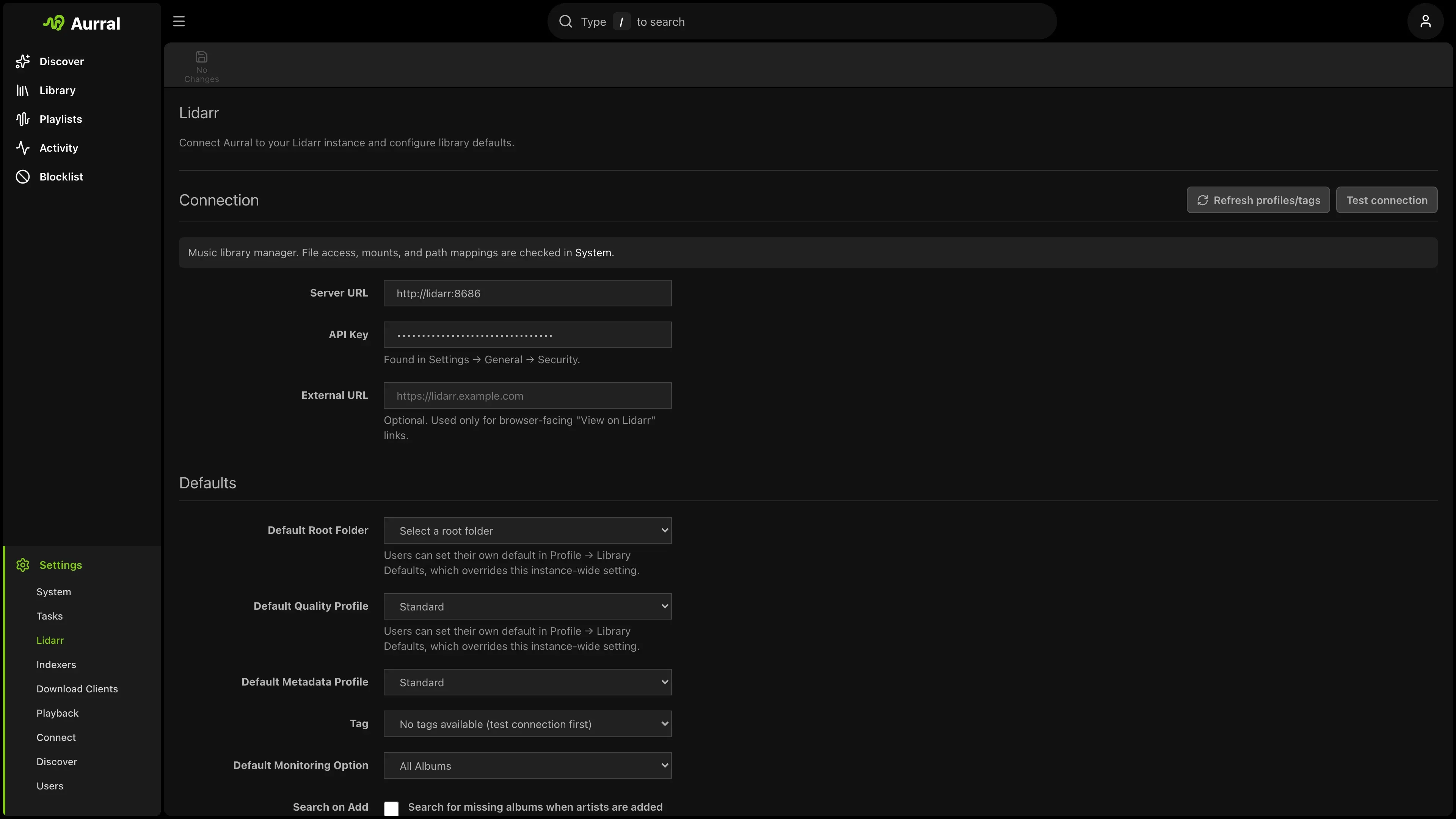
- Open Settings > Lidarr.
- Enter the Lidarr URL that Aurral can reach. In one Docker Compose network this is often
http://lidarr:8686. - Enter the Lidarr API key and select Test connection.
- Open Settings > Download clients.
- Set Downloads Folder > Path to a writable path inside Aurral, such as
/data/downloads/aurral. - Open Settings > Storage health, select Run Checks, and fix failed checks.
- Open Settings > Lidarr and select Test library access.
- Connect the download clients and playback server that you use. Navidrome and Plex are optional destinations. Aurral can play indexed media in the built-in player when the canonical file is readable.
The Lidarr connection test checks the API. The library-access and storage checks verify that Aurral
can read the files and write the Downloads Folder. The Aurral-native playback check reports
whether indexed media is ready to play. The built-in Subsonic service is available at /rest for
compatible external players.
Configure the other services
Section titled “Configure the other services”- Download clients: Open Settings > Download clients. Connect slskd, SABnzbd, or NZBGet and make sure their completed path is under the shared media mount. The built-in yt-dlp source needs no separate service.
- Navidrome: Open Settings > Playback > Navidrome and connect it. Aurral creates its playlist library when a flow or playlist produces output. See Navidrome.
- Plex: Open Settings > Playback > Plex, connect Plex, and select Sync to Plex now after a flow downloads tracks. See Plex.
If any service uses a different path, see Path mismatches. Do not add a path mapping until the local folder is mounted inside Aurral.
Next: Discover